
Following the scriptPro
The book, beside the cue list, with the cues pinned to the lines they go on.
1. Load the script
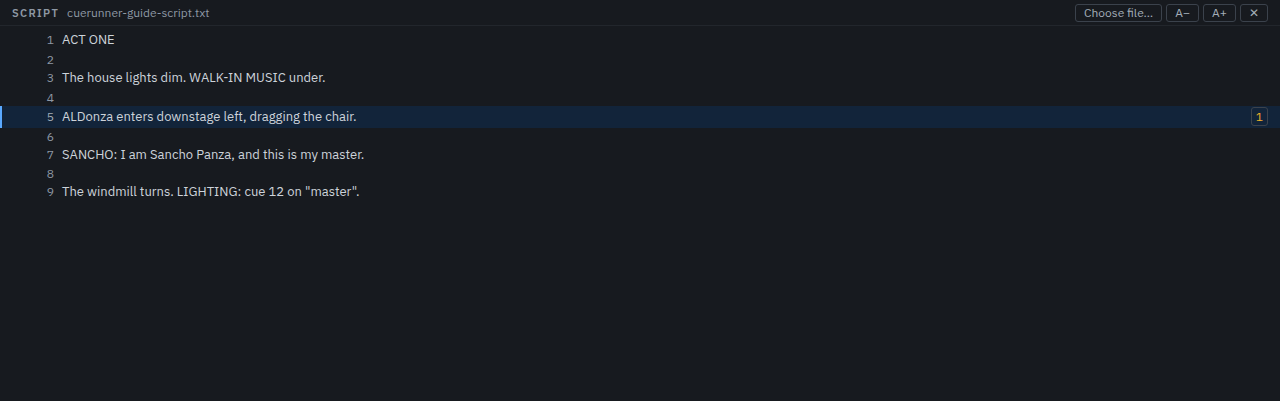
The Script tab in the dock, then Choose file…. A plain text file is what it wants; the lines are numbered as they are read, and the file is left alone — Cuerunner keeps the pins, not the script.
2. Pin the cues
Select a cue, then click the line number it goes on. The cue's number appears beside that line, and the panel now reads like a marked-up book. Clicking a pin selects that cue, so the script becomes a way to navigate the show.
A− / A+ change the text size; the panel remembers it. The pins are saved with the show.
3. Follow along
As the show runs, the panel keeps the line of the cue that just fired in view, so the book follows the show without a hand on it.
4. Put it on a tablet
Settings → Network → Tablet view. Switch it on, set an access code, and open the address it reports in a browser on the same network. It shows the cue list and the script, and follows the show.