
Firing cues from a console
Somebody else presses GO: the lighting desk, a footswitch, a tablet, the stage manager's cue light panel. Cuerunner listens, and a cue can carry its own trigger.
1. Let it listen
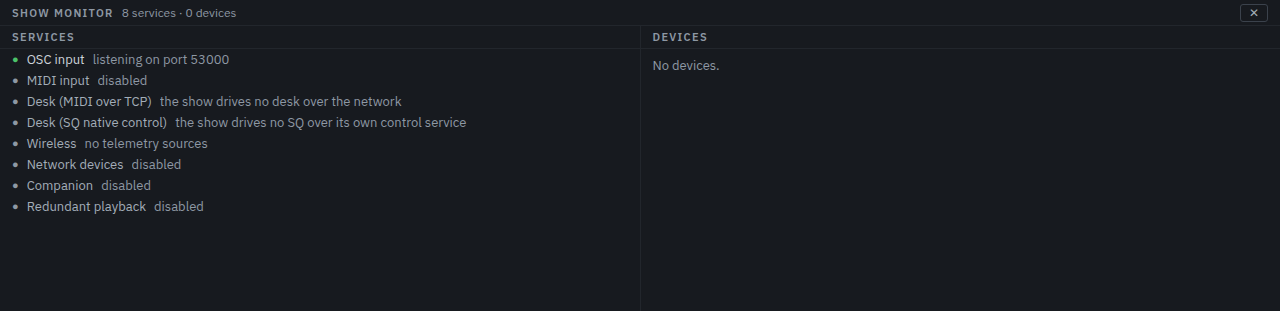
Settings → Network → OSC control is on by default and listens on port 53000. Settings → MIDI → Listen to MIDI opens the inputs you tick, or all of them if you tick none.
The Monitor tab in the dock shows what is listening and what has arrived, so you can point the desk at Cuerunner and watch the messages land before writing a single trigger.
2. Give a cue a trigger
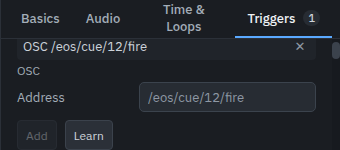
Select the cue, open Triggers, and add one:
- OSC — an address, such as
/eos/cue/12/fire. Arguments are ignored; the address is the trigger. - MIDI — a note, a controller or a program change on a channel. A note fires whatever its velocity.
- Show control — an MSC command from a desk, matched on every field it sent.
Learn is the shortcut: press it, then send the message from the desk, and the fields fill in with whatever arrived. A cue with a trigger shows a count on its Triggers tab, so a glance down the list tells you which cues answer to something other than a finger.
3. Panic from the rig
Two messages panic the show whoever sends them, with no cue written for them: OSC
/cuerunner/panic, and MIDI All Sound Off — controller
120 at value 0, on any channel of any port being listened to. A desk with a spare
key, a footswitch, another program on the network: all of them can stop the sound.
It is handled where the engine is rather than in the window, so it works even if the interface is busy, and the run log records who asked.
Repeats
A footswitch that bounces, a desk that sends twice, a key held down: Settings → General → Repeat guard ignores a second GO arriving within the window you set. 300 ms by default; 0 turns it off.
Next
The control reference lists every message Cuerunner answers to and every field a trigger can match.